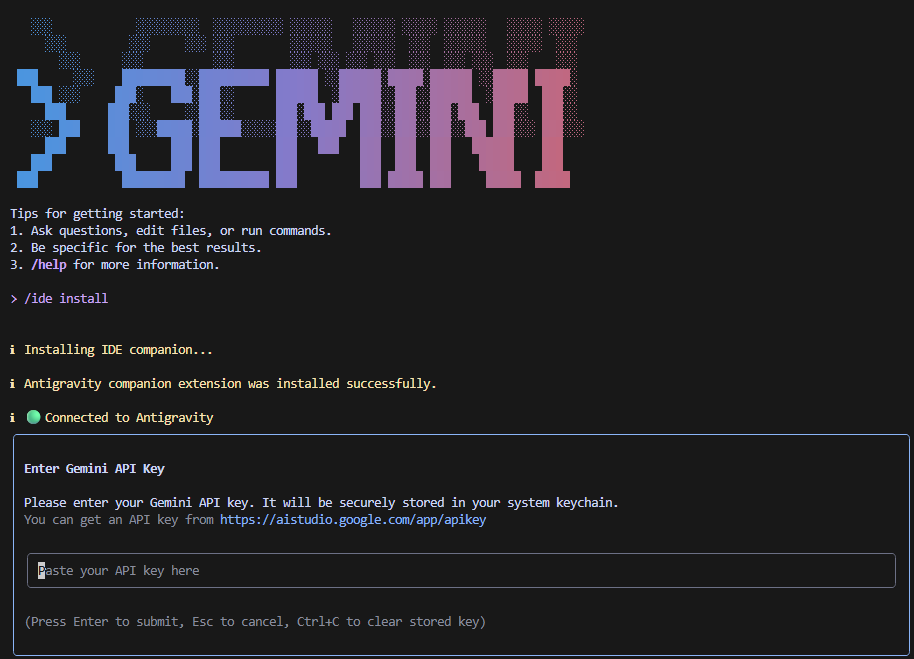
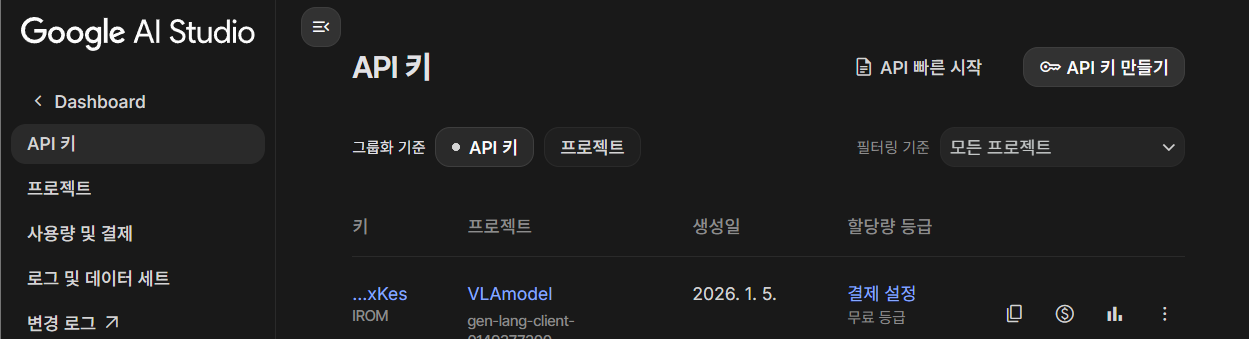
터미널에서 npm을 이용하여 gemini를 설치하는 방법으로 설치를 진행한 뒤 본인 API(Gemini가 결제가 되어있어야함 아닌 경우 일반 모델로 사용될지도? 안해봄)를 추가하여 사용할 수 있다.
sudo apt install npm

nvm install --lts
nvm use --lts

npm install -g @google/gemini-cli
https://aistudio.google.com/app/api-keys?hl=ko
로그인 - Google 계정
이메일 또는 휴대전화
accounts.google.com
개발자 MCP 추천
"github", "filesystem", " fetch", "brave" 이렇게 있다. 해당 내용을 추가는 .gemini 폴더에서 setting.json에 추가해주면 된다.
{
  "ide": {
    "hasSeenNudge": true,
    "enabled": true
  },
  "mcpServers": {
		요기 안에 들어가면 된다.
  },
  "security": {
    "auth": {
      "selectedType": "gemini-api-key"
    }
  }
}
1. "fetch" 설치 - 논문 읽기에 좋음(특정 주소 읽기)
pip install mcp-server-fetch
curl -LsSf https://astral.sh/uv/install.sh | sh

#test
npx @modelcontextprotocol/inspector uvx mcp-server-fetch
1.1 "fetch" 추가
"fetch": {
      "command": "uvx",
      "args": [
        "mcp-server-fetch"
      ]
    },
2. "github" 추가 - 이건 해야지
"github": {
      "command": "npx",
      "args": [
        "-y",
        "@modelcontextprotocol/server-github"
      ],
      "env": {
        "GITHUB_PERSONAL_ACCESS_TOKEN": "본인 github API 추가"
      }
    }
3. "filesystem" 추가 - 파일 읽기에 유리 함
"filesystem": {
      "command": "npx",
      "args": [
        "-y",
        "@modelcontextprotocol/server-filesystem",
        "본인 파일 절대 경로 추가"
      ]
    },
4. "brave" 추가 - 인터넷 서칭 가능함 / 근데 결제 추가 귀찮음
https://api-dashboard.search.brave.com/app/dashboard
Brave Search API | Brave
Enterprise-grade Web search API accessing an index of 35+ billion pages. Specialized endpoints to train models, power search, and more. Real-time indexing, low latencies, and flexible pricing.
brave.com
"brave-search": {
      "command": "npx",
      "args": [
        "-y",
        "@modelcontextprotocol/server-brave-search"
      ],
      "env": {
        "BRAVE_API_KEY": "본인 API 넣으면 됨"
      }
    },
context7도 좋다던데...
'Codes' 카테고리의 다른 글
| Franka research3 Python으로 제어하기 (0) | 2026.01.02 |
|---|